


Administration: Account constants
Account constants save you time when frequently used text snippets change from time to time, e.g. the link URLs to sections of your website.
Instead of entering the text directly in the mailing or template, you use the input assistance to insert the placeholder of an account constant. You assign the desired value to this account constant and can change it at any time if needed. There is no need to search and replace manually in all your mailings, templates, landing pages, surveys, etc.
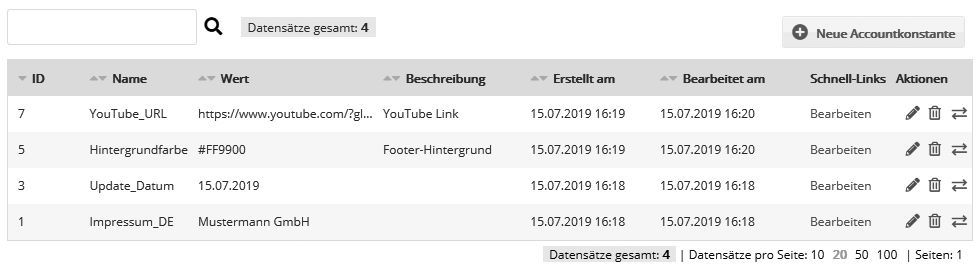
You can create as many account constants as you like. Some examples:
| Usage | Value | Explanation |
| Imprint:<br/>[CONST id='3' name='Impressum_de'/] | Mustermann GmbH<br/> Musterstraße 123<br/> 12345 Musterstadt<br/> Tel. +49123456789 |
You can use simple HTML (line breaks, bold text, links). |
| next update on [CONST id='5' name='Updatedatum'/] | September 16, 2016 | This saves you from changing the date several times (which is prone to errors) in the subject, introduction, mobile introduction, ALT text of the header image ... |
| <body bgcolor="[CONST id='7' name='Hintergrundfarbe'/]"> | #FF9900 | If you use the same template in several accounts with different colors, account constants save you from changing the template itself. |
| <a href="[CONST id='9' name='Youtube_URL'/]">Youtube</a> | https://www.youtube.com/user/xyz | Use account constants for the most important link URLs to your website or social channels. |
Of course, you can also use account constants in the variants of personalization assistants or dynamic content.