Clear lists: Invalid addresses
|
This function searches your subscriber data for invalid addresses. These are email addresses that are undeliverable because of obvious typos. Typical examples:
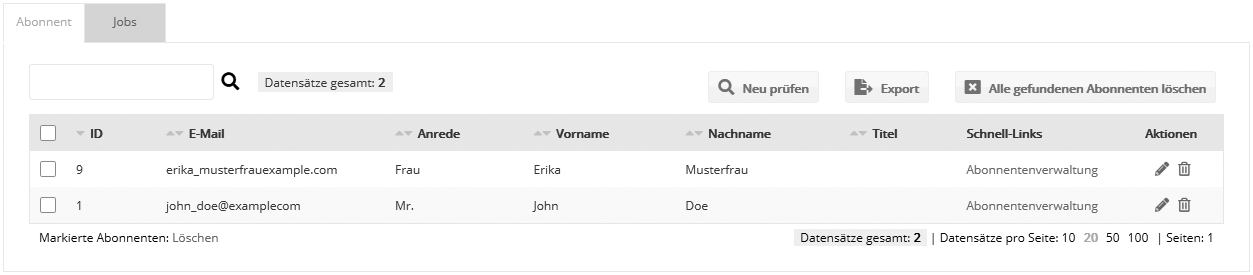
After the check, you can either delete the invalid addresses or export them for editing. However, you should not correct misspelled email addresses without the recipient's consent, because you do not have a legally valid opt-in for the new email address created by your change. The recipient may have entered the email address incorrectly on purpose. The 'Clear invalid addresses' submenu item gives you an overview of all your subscriber lists, their total number of subscribers and the number of invalid addresses. Click the 'Check' icon to have emma examine all addresses of the list. The number of invalid addresses found is then displayed. Click the 'Open' icon to access the invalid addresses of the subscriber list.
The buttons 'New check', 'Export' and 'Delete all' are now available. 'Delete all' removes the invalid addresses completely. 'Export' creates a CSV file with the invalid addresses in the character set of your choice, which you can save on your computer and edit manually. 'New check' runs the check again and updates the result if necessary. The overview offers the actions 'Open' and 'Delete'. 'Delete' removes the record, while 'Open' lets you make changes to the record. |